
Authorized Dealer
Enjoy fast and secure connectivity while on the road with the TP-Link TL-WR3602BE BE3600 Wireless Dual-Band Gigabit Travel Router at your side. Designed for high versatility, this compact router features several modes…
Product highlights and buying context
Enjoy fast and secure connectivity while on the road with the TP-Link TL-WR3602BE BE3600 Wireless Dual-Band Gigabit Travel Router at your side.
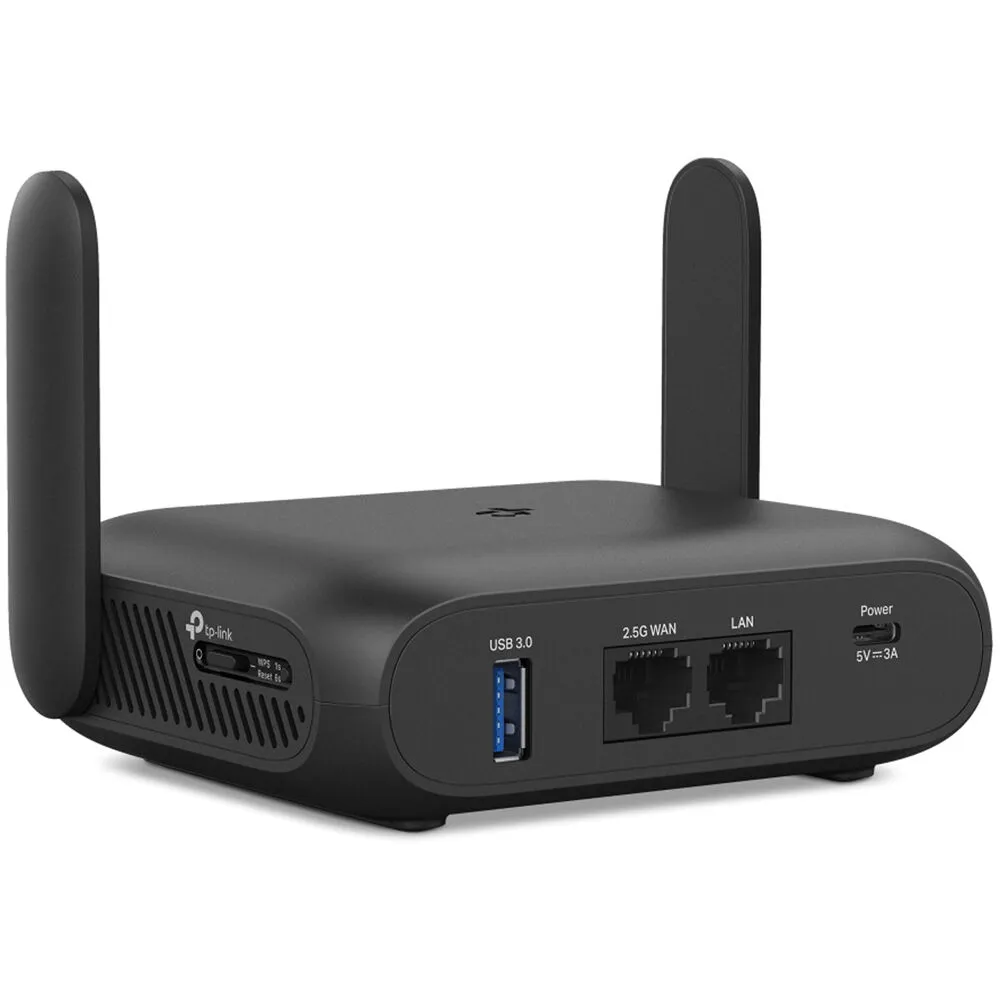
Designed for high versatility, this compact router features several modes that allow you to adapt to your environment. For instance, connecting your separately purchased 3G, 4G, or 5G mobile device through the USB-A 3.1 Gen 1 (aka USB 3.0) port allows you to access the internet from almost anywhere and share the connection with up to 90 devices. Connect your laptop directly to the router through the Gigabit Ethernet LAN port for added reliability and minimal interference. You can also use the TL-WR3602BE as a traditional router when at home by connecting your broadband modem to the 2.5G Ethernet WAN port. Supporting Wi-Fi 7 (802.11be), you can reach wireless speeds of up to 3570 Mb/s over the 2.4 GHz and 5 GHz bands with compatible devices. With VPN encryption, your network remains secure, even when using public Wi-Fi at cafes and airports. The TP-Link TL-WR3602BE's compact, lightweight design allows you to bring it with you almost anywhere. USB-C charging allows you to power it using a separately purchased battery bank.
Create a secure, private network for your devices when using public Wi-Fi hotspots. Only your router connects to public hotspots, not your device. Captive portal authentication may be handled through the Tether app.
Tether your phone or travel modem through the USB-A 3.1 Gen 1 port to share up to 5G cellular data connections over Wi-Fi.
Supporting OpenVPN and WireGuard, the TL-WR3602BE maintains your network's privacy and security, whether you're working remotely abroad or using public Wi-Fi. This device can simultaneously run a VPN and regular internet connections, offering protection and flexibility.
TP-Link HomeShield helps to ensure a safe online environment with security features such as a home network scanner and parental controls.
Access point mode allows you to extend your Wi-Fi coverage by connecting it directly to your router with an Ethernet cable. You can also configure the TL-WR3602BE as a wireless range extender.
No need to search for a wall outlet. Connecting a separately purchased power bank to the USB-C port allows you to use the router from almost anywhere.
Plug an external storage drive into the USB-A 3.1 Gen 1 port to share files between your networked devices.
Set up and manage your travel router, including Captive Portal Authentication, using the TP-Link Tether app for iOS and Android.
Additional Details
Loading…
