Authorized Dealer
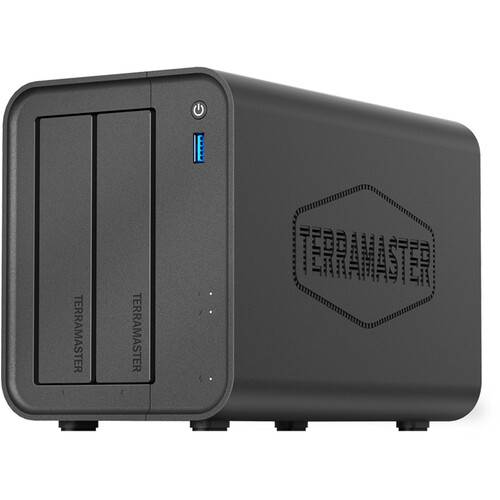
Designed for SMB users, creatives, and families, the TerraMaster F2-425 2-Bay NAS Home Network Storage is a centralized storage solution, ideal for offices or as a home multi-media hub. It features two 3.5/2.5" SATA…
Product highlights and buying context
Designed for SMB users, creatives, and families, the TerraMaster F2-425 2-Bay NAS Home Network Storage is a centralized storage solution, ideal for offices or as a home multi-media hub. It features two 3.5/2.5" SATA drive bays that can accommodate HDDs and SSDs. Installed drives can be configured for RAID 0, 1, JBOD, Single, TRAID, and TRAID+ modes depending on your performance and security preferences, allowing you to quickly back up your important files and stream media to connected devices. With a maximum storage capacity of 60TB (2 x 30TB), you can securely store your files, photos, videos, and more. The F2-425 seamlessly integrates into your network through its 2.5 Gigabit Ethernet port. Connecting external peripherals to the two USB-A 3.2 Gen 2 ports, USB-A 3.2 Gen 1 port, and one HDMI port allow you to share files and media with connected network devices and use displays. With integrated 4K video transcoding at resolutions up to 4096 x 2160 at 60 fps, you can enjoy rich, detailed media on phones, computers, and multimedia centers.
It features the Intel Celeron N5095 x86 quad-core processor with a maximum turbo frequency of 3.4 GHz. 4GB of DDR4 memory, 4K video transcoding, and the 2.5GbE port significantly boost the storage efficiency of the disk array. This makes the F2-425 an ideal storage solution for small businesses and homes.
Keep your photos, media libraries, and backups in a centralized hub with up to 60TB of scalable storage space. This device streams seamlessly to TVs and streaming devices with 4K hardware decoding using uPnP/DLNA support.
The F2-425 uses built-in AI to auto-organize photos based on faces, pets, objects, and scenery, all without needing to upload to the cloud.
With TNAS Mobile, quickly access auto photo backup, AI organization, user/storage controls, secure vaults, and admin tools, all in a remote app. Set up custom rules, expiration dates, access limits, download permissions, and passwords for worry-free sharing. You can also access your files from there, letting you automatically back-up photos and access work files remotely.
Enjoy cost-effective family storage sharing with support for 50+ independent accounts. Isolated storage ensures individual privacy while still allowing for seamless collaboration.
The free TOS 6 OS software is a web-based system designed for TerraMaster's NAS system. The intuitive browser interface has more than 40 new features and 370 refinements for enhanced security, stronger data protection, and optimized performance. TOS 6's Direct Mount allows you hot-swap pre-used drives with exiting data into your TNAS, no need to reformat or delete data. Instantly access content over the network while seamless migrating, expanding, storage, or repurposing old drives.
TerraMaster's proprietary Surveillance Manager allows you to create a video surveillance system by connecting multiple ONVIF-compliant IP cameras to your TNAS. This integrated solution provides centralized management, live viewing, historical playback, and automatic storage of all recordings to designated TNAS locations - all through an intuitive unified interface.
TOS significantly reduces risk from hacks, ransomware attacks, and security threats using multi-layered defense mechanisms.
In addition to supporting standard RAID types (Single, RAID 0, and RAID 1, TerraMaster also offers TRAID/TRAID+ elastic array technology, enabling online capacity expansion, live migration, and hot-spare disk configuration for enhanced flexibility. When a TerraMaster USB DAS disk array is connected to a NAS, external drives can also be used to create storage pools and volumes, allowing for seamless storage expansion.
Featuring a tool-less drive tray design, allowing you to easily install and remove hard drives without the need for any tools. The Push-lock mechanism automatically locks the drive in place upon insertion, preventing disconnection.
Additional Details
Loading…
