Authorized Dealer
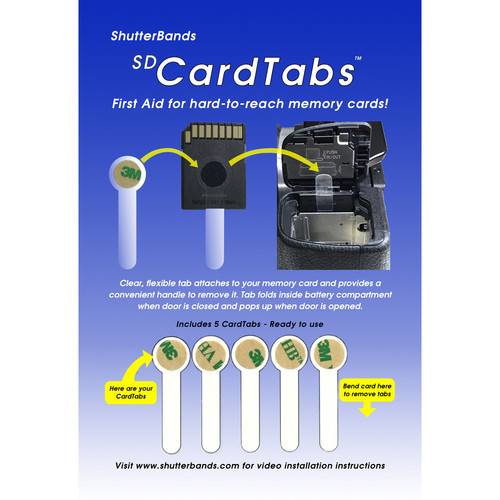
Designed for cameras such as the Sony a5000, a6300, a6000, and NEX series, where the memory card is "sandwiched" between the battery and the battery door hinge, this 5-pack of SD CardTabs from ShutterBands helps users…
Product highlights and buying context
Designed for cameras such as the Sony a5000, a6300, a6000, and NEX series, where the memory card is "sandwiched" between the battery and the battery door hinge, this 5-pack of SD CardTabs from ShutterBands helps users remove memory cards from card slots that may not be easily accessible. Each clear and flexible tab is 0.1mm thin and folds over inside the battery compartment when the door is closed. When the door is opened, the tab springs back up, giving users access to their SD card. This thin form factor also allows SD cards to be stored in their original cases when not in use.
Remove a CardTab from the front of the card by bending the bottom of the card toward the back to expose the CardTab's tails.
Identify the side of your installed card that is opposite the battery door hinge.
Clean the side of the card with the supplied alcohol wipe.
Remove the brown release paper from the CardTab to expose its adhesive.
Carefully align the tab so the CardTab's circle is centered on the card and its tail is perpendicular to the bottom of the card.
Press the CardTab's circle and hold for 10 seconds to set the adhesive. The CardTab can be used immediately.
To remove a CardTab, simply peel it off. Remove any remaining adhesive from the card by rubbing gently with a soft cloth dampened with rubbing alcohol.
Additional Details
Loading…
