
Authorized Dealer
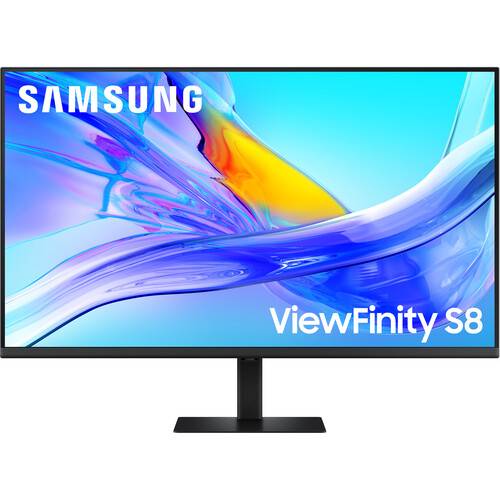
With its versatile design, the ViewFinity S80UD 37" 4K HDR Monitor from Samsung may be at the center of your computing experience. In addition to delivering crisp UHD 4K, 3840 x 2160 resolution visuals, you can enhance…
Product highlights and buying context
With its versatile design, the ViewFinity S80UD 37" 4K HDR Monitor from Samsung may be at the center of your computing experience. In addition to delivering crisp UHD 4K, 3840 x 2160 resolution visuals, you can enhance your multitasking with its connectivity.
The ViewFinity S80UD includes one HDMI port and a DisplayPort input for compatible devices. Or you can transfer video, data, and up to 90W of power over a single cable with compatible laptops through the USB-C port. An integrated KVM switch allows you to control multiple devices with a single mouse and keyboard connected to the two USB-A 3.0 ports. An RJ45 Ethernet port is also available. Plug a pair of headphones to the 3.5mm jack for listening privacy.
The 37" VA panel is designed to deliver lifelike images with up to 1.07 billion colors and HDR10 support, covering 100% of the sRGB gamut. HDR10 support provides realistically bright highlights and deep shadows.
A USB-C port allows for 90W charging and data transfer at the same time, while a built-in RJ45 LAN port provides Ethernet connectivity for laptops.
A built-in KVM switch lets you connect and control up to two devices at once through your monitor using just one keyboard and mouse. Choose between picture-by-picture (PBP) and picture-in-picture (PIP) modes.
Create your ideal workspace effortlessly with the Easy Setup Stand, which doesn't require any tools or screws. When it's time to change things up, you'll enjoy flexibility and convenience with the simple push of a button.
The display's thin bezel design makes it ideal for multi-monitor configurations.
For those late-night projects, brightness and color temperature are automatically optimized for your environment. TÜV-certified for intelligent eye care technologies reduce screen flickering and help to protect eyes against excessive blue light with Eye Saver Mode.
Rotate the display 90° in either direction to view documents in portrait mode and adjust the monitor's height, tilt, and swivel to match your comfort. You can also use the 100 x 100mm VESA mount pattern to attach the monitor to a wall, swivel arm, or multi-monitor stand. With 178° viewing angles, you can see the screen clearly from almost any position.
Additional Details
Loading…
