
Authorized Dealer
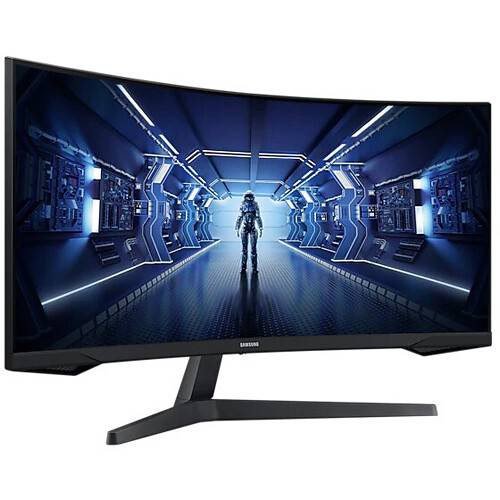
Fully immerse yourself in liquid-smooth graphics when playing your favorite games with the Samsung G5 Odyssey 34" 21:9 Curved 165 Hz FreeSync WQHD HDR VA Gaming Monitor. This 3440 x 1440 WQHD resolution monitor features…
Product highlights and buying context
Fully immerse yourself in liquid-smooth graphics when playing your favorite games with the Samsung G5 Odyssey 34" 21:9 Curved 165 Hz FreeSync WQHD HDR VA Gaming Monitor. This 3440 x 1440 WQHD resolution monitor features a curved screen that is designed to enhance your entertainment experience by filling your field of view high-quality images that feature rich, realistic colors. Its 165 Hz refresh rate and 1 ms MPRT response time work together to help minimize motion blur to deliver smooth, sharp graphics in high-action games. Additionally, AMD FreeSync Premium technology helps to reduce screen tearing, stuttering, and other artifacts from games when a compatible graphics card is connected.
This monitor supports a 3440 x 1440 WQHD resolution with a 2500:1 static contrast ratio and a 250 cd/m² brightness for sharp, clear images.
Featuring slim bezels, a 1000R curved design, and 178° horizontal and vertical viewing angles, this 34" monitor is built to fill your field of view as you play games and watch streaming videos.
The 165 Hz refresh rate and a 1 ms MPRT response time help minimize motion blur to deliver smooth, sharp graphics with fast-paced action games.
This Vertical Alignment (VA) panel supports 16.7 million colors with high-dynamic range, delivering vivid photos, videos, and documents that include deep blacks and bright whites.
Reduce screen tearing with AMD's FreeSync Premium Technology. FreeSync Premium enables the monitor to dynamically adjust its refresh rate to the frame rate being output by the graphics card, thereby greatly reducing screen tearing, stuttering, and other artifacts.
The Samsung G5 Odyssey gaming monitor includes a DisplayPort 1.2 input and an HDMI 2.0 port alongside a 3.5mm headphone jack.
Adjust the monitor's tilt to maximize comfort. You can also use the 75 x 75mm VESA mounting holes to attach the screen to a wall, swivel arm, or multi-monitor stand.
Additional Details
Loading…
