Authorized Dealer
This agnostic version of Roxio Creator NXT lets users burn, copy, and author CDs, DVDs, and Blu-rays. They'll also be able to capture and edit videos, photos, and audio, record the screen using two cameras with MultiCam…
Product highlights and buying context
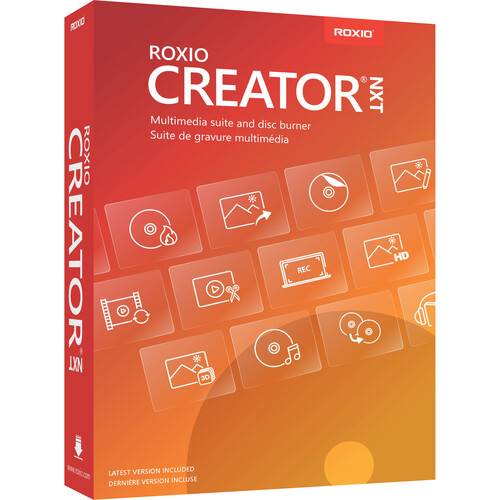
This agnostic version of Roxio Creator NXT lets users burn, copy, and author CDs, DVDs, and Blu-rays. They'll also be able to capture and edit videos, photos, and audio, record the screen using two cameras with MultiCam Capture, create smart slideshows and movies, and clean up their hard drive with Roxio Genie utility software. Audio users will also be able to work with noise reduction, time stretching, pitch scaling, and multichannel mixing. Features new to this version include the ability to convert media into popular formats with the file converter, create custom DVD menus with the Template Designer, and access help documentation online and all in one place. Working with Blu-ray media requires the purchase of a separate plug-in from within the software. Also, this software does not capture, copy, or rip copyrighted or protected media.
This product always features the latest version of the Creator NXT Software at the time of registration.
Capture video and audio from your PC, discs, or older devices. Enjoy advanced options to record your screen and video from multiple cameras simultaneously with MultiCam Capture. NXT is loaded with advanced photo, video, and audio editing, as well as graphic design and photo animation tools so you can make all your media look and sound its best.
Convert audio and video to popular file formats for easy upload to YouTube, Facebook, or other social media sites to stay connected with your audience. Save projects to share via your favorite devices or burn them to discs.
Get industry-leading drag-and-drop tools to copy or burn your media. Create audio CDs or custom DVDs. Author DVDs with customizable menus, templates, and disc labelling options to give your media polished packaging.
Edit and create HD videos with VideoWave video editing software. Explore powerful creative possibilities to enhance your next video.
Turn your videos into professional-looking discs with 100+ themed templates, easily combine multiple movies onto one disc, and organize them with customizable menus.
From software training to unboxing videos, capture completely synced video and audio from multiple devices that's ready to edit at the click of a button.
Uncover the photographer's secret to time-saving photo editing. Edit and manage your photos, and even apply effects to a single image or batch of images.
Organize your hard drive and identify long-forgotten, duplicate, or unnecessary files. Easily manage, delete, move, or upload files to the cloud.
Customize DVD menu templates or create your own brand new ones with the new Template Designer, now available in MyDVD. Control the appearance and structure of your menus, including the style and placement of thumbnails and titles, the number of chapters displayed per page, and the visual appearance of frames and icons. Adjust the menus and submenus of your media projects to perfectly express your creative vision and match your personal preferences.
With this easy-to-use tool, quickly convert your videos, images, and audio between different popular formats. Even convert from video to audio or target specific profiles for your favorite devices. This simplified conversion option makes it more convenient to share your media across different devices and online platforms.
To make it easier to find the information you need, Roxio Creator NXT's help documentation is available online all in one place, with an index and a powerful search function to get you to the exact section you're looking for. Easily access the Roxio Creator user guide as well as "how to" tutorials to streamline your workflow and make your projects even better.
Enjoy a fast and powerful multimedia suite for creative transformations of your digital media.
Edit and create HD videos with VideoWave, the enhanced video editing software. Add video filters, titles, scrolling credits, or create picture-in-picture effects. Rotate video with one click, trim video, or auto-adjust color, brightness, and contrast.
Capture video and other media files from discs, older devices, or old format files. Whatever the source, if you can see or hear it, you can capture it.
VideoWave video editing software gives you access to the ScoreFitter music library, offering a wide variety of original, royalty-free songs and effects to enhance the mood of your movies. ScoreFitter automatically adjusts the track to match the length of your movie.
Show multiple videos simultaneously with templates or custom designs. Create a superimposed effect or custom fade transitions and easily layer tracks. Track, label, or blur out an object with easy-to-use Motion Tracking tools. Have fun with the Green Screen tool to travel to exotic locations without leaving home.
Convert 360 equirectangular video for playback on standard devices and control what angle your audience sees.
Convert your media to popular formats for sharing, uploading to online platforms, and easy playback on your favorite devices.
Create music playlists for any occasion and burn audio CDs for your next road trip. To keep everybody dancing, Creator's beat-matching feature will automatically synchronize the rhythm to transition seamlessly from song to song.
Capture audio from the web, older devices, a camcorder, or even a YouTube video. Simply extract it, quickly edit the file, trim unwanted parts, and save it into a format that you can play on your iPhone or other portable player.
Improve sound quality, change clip duration or the pitch of your audio, even modify voices and encode audio to use your entire sound system with advanced audio editing tools like noise reduction, time stretching, and pitch scaling. Use multichannel mixing to enable a more immersive listening experience.
Digitize your classic analog LPs and cassette tapes and even clean up pops and hissing. Convert sound to your preferred format and enjoy on your favorite device. Creator even identifies your audio and adds title, artist, and genre information to your audio files automatically.
Edit multiple images at the same time. Easily make adjustments and quick fixes: remove red eye, erase wrinkles and blemishes, and correct color and brightness. Manage even very large photo collections with Corel AfterShot 3. Batch processing lets you apply adjustments to one or thousands of photos at once for dramatically faster photo processing.
Restore old photos and easily remove scratches and dust from a photo, adjust exposure, crop ragged edges, straighten a photo, and adjust color. Create mind-blowing panoramas through "stitching" your photos together.
Easily create slideshows, collages, greeting cards, and more with Corel FastFlick. Save to your PC, print to share with friends and family, or prepare videos for upload to social media platforms. Leverage artificial intelligence and facial recognition to automatically create slideshows and movies using your best shots and clips with Highlight Reel.
Drag and drop directly from your desktop and easily burn single or multiple CDs, DVDs, and Blu-ray discs simultaneously. To make multiple DVD copies, or to archive your DVD productions, consider outputting an ISO image file to your hard drive.
Easily create a copy of your CDs, DVDs, Blu-ray discs, and USB drives. Whatever the original disc is, Creator NXT can copy it. You may also copy and convert discs to digital files to play back on your favorite devices.
Elevate your videos to professional-looking discs with Roxio MyDVD, complete with 100+ original templates, customizable menus and chapters, and a robust music library. Creatively customize existing menu templates, or even create your own with the Template Designer. Combine multiple movies onto one disc with an updated interface to make it simple yet polished. Even create your own Blu-ray discs (non-DRM) for home videos and personal projects.
Create labels for your discs and make your favorite music, CDs, and DVD movie compilations easily recognizable.
Additional Details
Loading…
