
Authorized Dealer
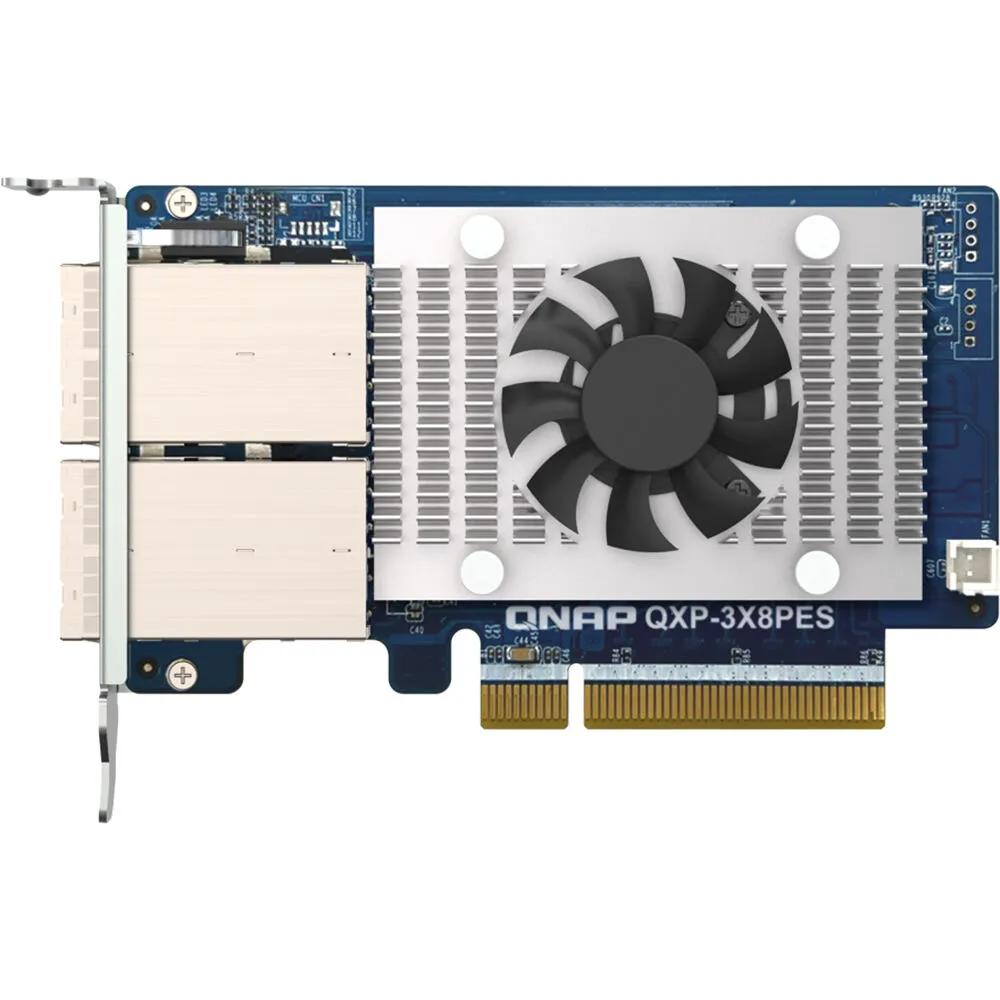
Expand the storage capacity of your QuTS hero or QTS NAS by connecting it to a QNAP Tl PCIe SATA JBOD using the QXP-3X8PES 2-Port Expansion Card from QNAP. This card connects to your host system using its PCIe 3.0 x8…
Product highlights and buying context
Expand the storage capacity of your QuTS hero or QTS NAS by connecting it to a QNAP Tl PCIe SATA JBOD using the QXP-3X8PES 2-Port Expansion Card from QNAP. This card connects to your host system using its PCIe 3.0 x8 interface which delivers data transfers of up to 64 Gb/s, while two SFF-8644 ports can be used to create a daisy-chain connection with up to twelve JBOD expansion units. This provides users with up to 2.9PB of SATA hard drive storage, which can be used to handle exponential data growth caused by archiving/backing up surveillance recordings, raw multimedia files, big data, and virtualization applications.
Please note that the host QNAP NAS requires QuTS hero 5.1.2 / QTS 5.1.2 (or later) and a BIOS update that is specific for each model. Supported maximum pool sizes are 2.9PB for a QuTS hero NAS and 304TB for a QTS NAS. Also, transfer speeds of 64 Gb/s may vary depending on the host NAS' PCIe slot and the storage units used.
2.9PB Capacity with Economy
Expand a QuTS hero NAS by up to 2.9PB in capacity by connecting twelve expansion enclosures (up to 192 hard drives in total).
The QXP-3X8PES PCIe Gen 3 x8 expansion card provides up to 64 Gb/s data transfer speed. The actual transfer speed depends on the host NAS' PCIe slot and the storage units used.
Install a QXP-3X8PES for connecting the enclosures using SFF-8644 8X special cables.
Expand Your Total Capacity up to 2.9PB
A NAS with a QXP-3X8PES can be daisy-chained with up to twelve TL PCIe Interface SATA JBODs, which supports SATA HDDs. This provides the potential to store up to 2.9PB (calculated using 22TB drives in twelve 16-bay enclosures).
Additional Details
Loading…
