
Authorized Dealer
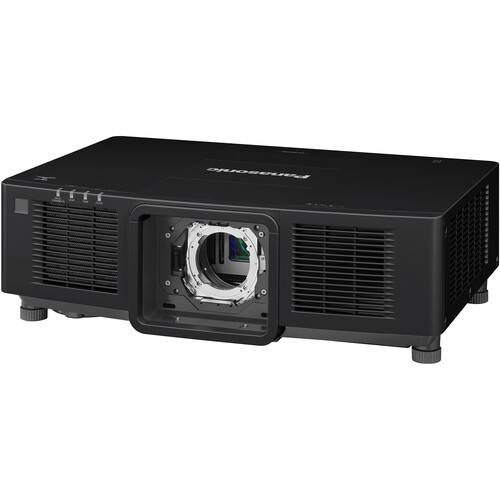
Bright, quiet, and accurate projections are possible when pairing the Panasonic PT-MZ20K 20,000-Lumen WUXGA Laser LCD Projector in black with an optional lens. The lightweight design offers quiet operation in normal…
Product highlights and buying context
Bright, quiet, and accurate projections are possible when pairing the Panasonic PT-MZ20K 20,000-Lumen WUXGA Laser LCD Projector in black with an optional lens. The lightweight design offers quiet operation in normal mode, with an additional quiet mode to keep audiences focused on presentations. Projections are made to look bright and realistic in any lighting condition with 20,000 lumens of output from the multi-laser drive engine. The Pure White Generator, Dynamic Contrast NX technology, and Clarity Processor 4 ensures optimal sharpness, rich contrast, and accurate color representation. Setup and extended operation of the PT-MZ20K is intuitive and convenient with app-based control, a built-in information monitor, HDMI backup, and a liquid-cooling system.
Bright and realistic projections enjoy accurate color representation thanks to a multi-reflection system that minimizes loss of light.
A video-scene analysis circuit recognizes differences between bright and dark areas of your content to deliver more precise, detailed, and rich contrast.
Important presentations require a projector you can count on, and the PT-MZ20K offers multiple features to give you peace of mind. The multi-laser drive engine uses multiple modules with many laser diodes in each. This hardware is used by failover circuitry to continue projecting with virtually no drop in brightness if laser failures occur. These lasers are also liquid-cooled to keep temperatures down, even during continuous high-brightness projections. Finally, dual HDMI inputs offer a backup in case of a failure, so presentations can continue with minimal disruption.
Built into the control panel is an information monitor that displays temperature, voltage, operating hours, input signals, and more; helping you easily check and recover from almost any issue.
Setting up a multi-projector installation is easy with data cloning. This projector supports the copying and cloning of settings and adjustments via both a LAN connection and optional USB flash drive.
Control this and up to 63 other projectors using the Smart Projector Control app. Make lens and focus adjustments, switch test patterns, and more. You can even use NFC to read and write settings with just a tap of your phone.
To give you a perfectly proportioned image, Panasonic offers geometric adjustment to let you correct both trapezoidal distortion and curved screen issues. You also have access to Free Grid, which lets you pinpoint local distortion via a 2x2 or 17x17-lined grid, or batch correct multiple projectors by specific horizontal or vertical grid lines. If you'd like to utilize advanced screen adjustment with your PC, the PT-MZ20K supports Geometry Manager Pro software.
Using up to 17 points, black borders can be shaped to achieve proper black levels when edge-blending on curved screens in a multi-projector setup.
Use Multi Monitoring & Control software or a web browser to preview projections on a PC when both the PC and projector are connected to the same network. This can be done regardless of whether the shutter is in use or the projector is in standby mode.
Additional Details
Loading…
