Authorized Dealer
Catch every detail while competing in fast-paced matches with the MAG 341CQP QD-OLED X28 34" 4K HDR 280 Hz Curved Ultrawide Gaming Monitor from MSI. Featuring an 1800R curved design with thin bezels, this ultrawide QHD…
Product highlights and buying context
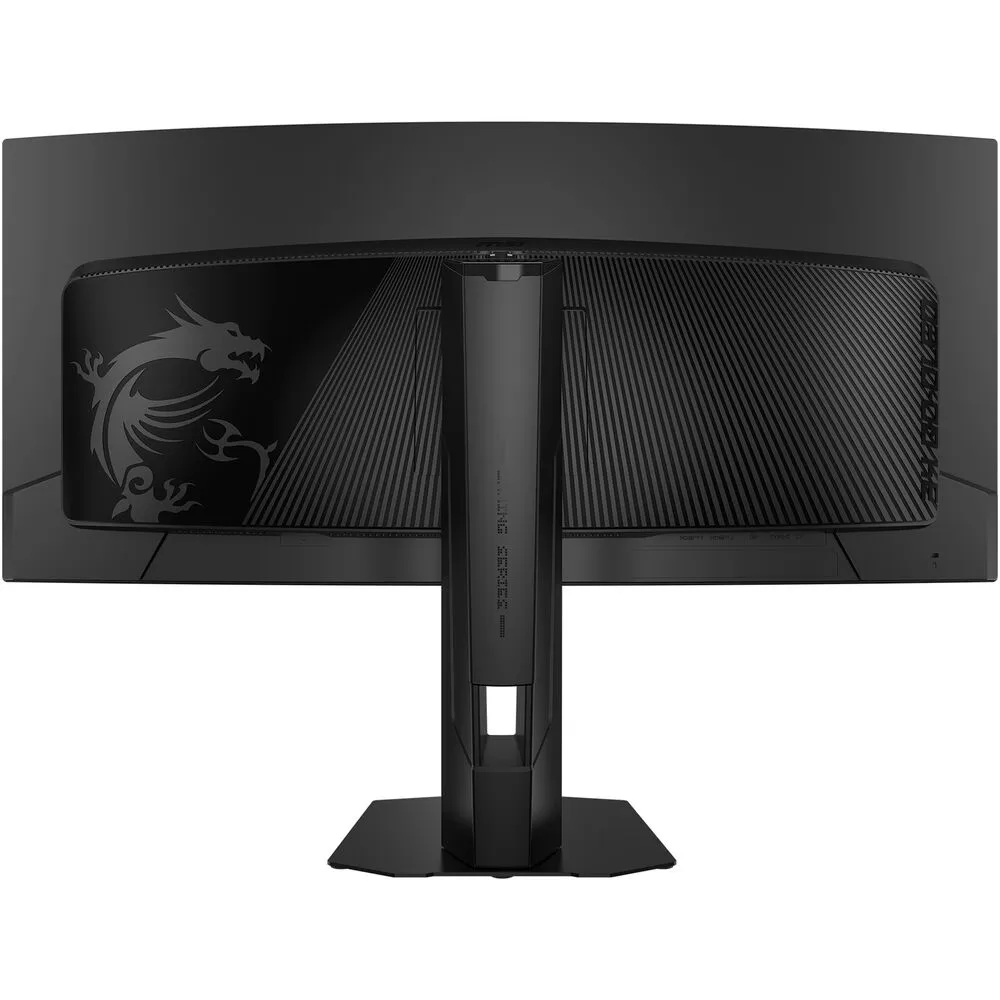
Catch every detail while competing in fast-paced matches with the MAG 341CQP QD-OLED X28 34" 4K HDR 280 Hz Curved Ultrawide Gaming Monitor from MSI. Featuring an 1800R curved design with thin bezels, this ultrawide QHD 3440 x 1440 resolution OLED display envelopes your field of view for maximum immersion. Additionally, the 280 Hz refresh rate, 0.03 ms response time, and AMD FreeSync Premium Pro support with NVIDIA G-Sync compatibility minimize motion blur for smooth visuals.
The MAG 341CQP also delivers rich visuals with HDR support providing bright highlights and deep shadows. Connecting your compatible laptop to the USB-C port allows you to transfer video and up to 15W of power over a single cable. Dual HDMI 2.1 ports and a DisplayPort 1.4a input are also available. Plug a pair of headphones into the 3.5mm jack for listening privacy. MSI's 3-year OLED warranty covers burn-in.
Sporting a 34.18" QD-OLED panel, the display is factory calibrated for Delta E ≤2 accuracy, delivering cinematic visuals with 1.07 billion colors, providing 99% DCI-P3 and 97% Adobe RGB coverage. VESA DisplayHDR True Black 500 certified high-dynamic range provides a 1.5 million:1 contrast ratio with 1300 nits peak brightness. VESA ClearMR 15000 certification indicates a high-quality motion score, ensuring a smooth visual experience.
The QD-OLED panel utilizes a 5-layer Tandem OLED design that boosts light efficiency by up to 30%.
The DarkArmor Film effectively eliminates purple tint, delivering 40% deeper black levels and 2.5x better scratch resistance with an upgraded 3H surface.
Reduce screen tearing with AMD FreeSync Premium Pro support and NVIDIA G-Sync compatibility. These technologies enable the monitor to dynamically adjust its refresh rate to the frame rate being output by the graphics card, thereby greatly reducing screen tearing, stuttering, and other artifacts.
MSI OLED Care includes Pixel Shift, Panel Protect, and Static Screen Detection technologies, along with a graphene film and custom heatsink to help prevent burn-in. Boundary detection adjusts the luminance between two images or an image and background while taskbar detection automatically scans the shape of your taskbar to reduce its luminance. This display is also designed to automatically detect prominently contrasting logos and automatically scans their shape and color to reduce luminance.
OLED Anti Flicker PRO offers three adjustable levels to reduce distracting screen flicker. Activating Super Low Motion Blur (SLMB) helps to eliminate ghosting and motion blur to maintain sharp visuals during fast action scenes. Advanced color settings allow you to fine-tune the color saturation, six-axis, and gamma levels to match your viewing preferences.
Smart Crosshair places an aim dot at the center of the screen whose color dynamically changes to stand out from the background colors. AI Vision technology reveals details in darkened environments while enhancing the brightness and color saturation. Optix Scope magnifies a screen area at the touch of a shortcut key, allowing you to more easily snipe distant opponents.
Enjoy smooth visuals with your connected console system with a 120 Hz refresh rate. Variable Refresh Rate (VRR) support reduces screen tearing and stuttering while auto low-latency mode (ALLM) sets the ideal latency for near lag-free responsiveness. HDMI CEC support automatically wakes the screen and switches the input to connected computers, PlayStation, and Nintendo Switch consoles by utilizing their controllers.
Adjust the height, tilt, and swivel to optimize your viewing. You can also use the 100 x 100mm VESA mounting pattern to place the display on a swivel arm or multi-monitor stand. With 178° horizontal and vertical viewing angles you can see the screen clearly from almost any position. The space-saving stand provides room to position your peripherals.
Additional Details
Loading…