Authorized Dealer
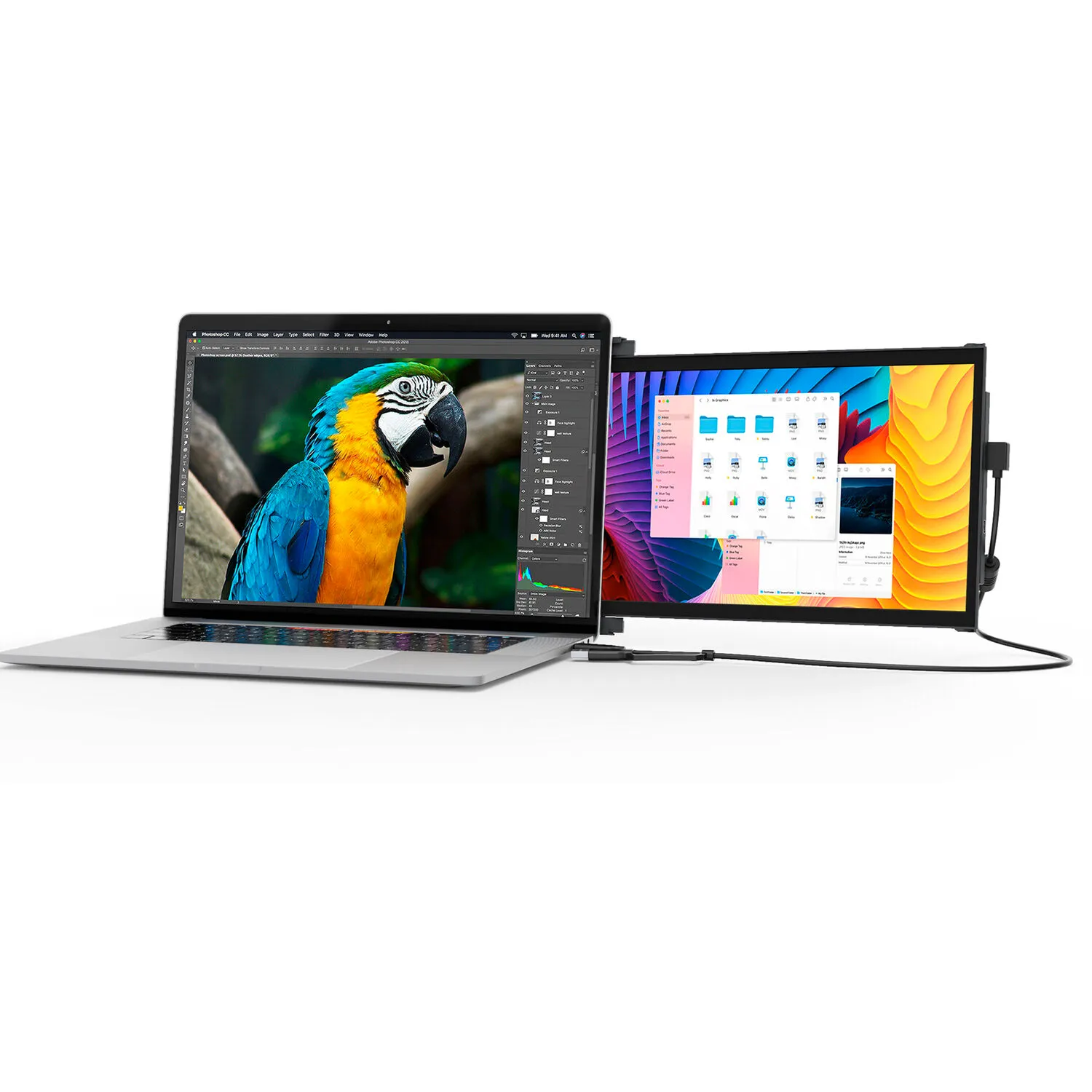
Extend your laptop's screen with the Duex Plus DS 13.3" Portable Monitor from Mobile Pixels. At 13.3", this IPS display reaches up to 300 nits of brightness, has low blue light, uses eye-care features, and supports a…
Product highlights and buying context
Extend your laptop's screen with the Duex Plus DS 13.3" Portable Monitor from Mobile Pixels. At 13.3", this IPS display reaches up to 300 nits of brightness, has low blue light, uses eye-care features, and supports a 1920 x 1080 resolution at 60 Hz, making it a robust sidecar for your workstation. Utilizing its magnetic attachment and landscape, portrait, presentation, or kickstand modes, you can use the Duex Plus DS as a second monitor for yourself or a way to present information during meetings with clients or coworkers alike.
Immerse yourself with the Duex Plus DS and make your laptop experience to the next level by easily expanding its display. Customize the display to your work with the Duex Plus DS's flexible modes. Switch between Landscape for data analysis, Portrait for coding and reading, Kickstand for professional presentations, and Presentation for collaborative meetings. Experience adaptability that suits your ever changing tasks.
With rotation functionality, enjoy a larger workspace on the while on the move. Suitable for laptops 13 to 14.5", the Duex Plus DS weighs in at just 1.3 pounds. And with a slim profile of just 0.25", this portable monitor is the ideal travel companion.
Simply connect it to your laptop by choosing the appropriate connection from the USB-C or mini-HDMI cable, attach the magnet according to the installation guidelines, and the laptop screen extender monitor portable is ready to use. Whether you flip from the left to the right, the portable monitor for laptop flips to achieve ease of use.
This sleek and lightweight design weighs in at 1.3 pounds and measures 0.60", ensuring you can carry your productivity with you easily. Whether you're at a cafe or a meeting, make a statement with elegance.
Enjoy wide compatibility with laptops, Windows, macOS, Android, Nintendo Switch, and Samsung DeX. Easily connect to your technology system for a wide range of devices and operating systems, and also meets your multiple scenarios of use, like teaching, meetings, outdoor work, learning, and so on.
Duex Plus DS has a rotation function and can be used in its intended landscape mode, portrait mode, presentation mode, or kickstand mode, making it great for any scenario.
Use it as your secondary monitor, either as a extended display or mirrored display. Say goodbye to toggling between windows and tabs.
You can also flip the screen 180° to the front of your laptop and present the screen to anyone sitting across from you, such as if you're giving a presentation to your team at work.
Detach and set it up vertically, which works well for coding. Portrait mode allows for increased font size, making it more convenient for you to read through the text. The portrait mode best serves web developers, content editors, content writers, proofreaders and programmers.
Buy the Origami Kickstand and attach it to the Duex Plus DS. You can now use it as a second screen by placing it on the surface next to your laptop.
Use a USB-C to USB-C cable for devices that have a USB-C port and support DP Alt mode. For devices with a USB-C port that does not support DP Alt mode, use a USB-C to HDMI cable. For devices with a USB-A port, use a USB-C cable and a USB-C to USB-A adapter with an HDMI cable.
Additional Details
Loading…