Authorized Dealer
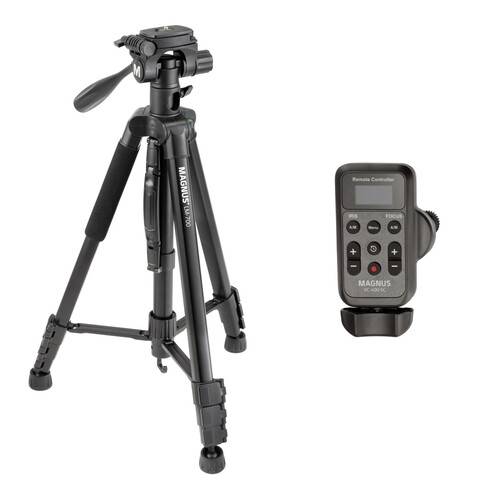
The Magnus Wireless LANC Controller with LM-700 Tripod Kit from Fotohaus Klinger features an aluminum tripod/pan-and-tilt head system and a wireless LANC controller for select Canon, Sony, and Panasonic cameras. Trigger…
Product highlights and buying context
The Magnus Wireless LANC Controller with LM-700 Tripod Kit from Fotohaus Klinger features an aluminum tripod/pan-and-tilt head system and a wireless LANC controller for select Canon, Sony, and Panasonic cameras.
Trigger the start/stop functions on your camera and control zoom, focus, and iris settings with this Wireless LANC Controller for Canon, JVC, Sony & Select Panasonic Cameras from Magnus. Boasting a pressure-sensitive rocker that facilitates stable video capture while performing smooth zooming to achieve dynamic telephoto and wide-angle shots, the controller easily mounts on your pan handle or tripod via its integrated clamp.
The included 2.4 GHz wireless receiver inserts into your camera's remote or LANC port for reliable wireless connectivity, and the unit comes with a 3.3' long LANC remote cable with a 2.5mm connector as a wired option. It features an OLED display for quick verification of recording time, battery life, and connectivity status, and two separately available AAA batteries power it.
Enhance your video recording with this pressure-sensitive zoom control. With three speeds, you can zoom slowly or fast and even reverse the direction of the toggle.
There are individual controls for your camcorder's focus and iris. You can set up to three speeds for focus, two increment options for the iris, and a toggle for auto or manual modes. These settings allow you to customize your shooting needs based on the scenes you're capturing.
Insert the 2.4 GHz receiver into your camcorder's remote or LANC port, and you'll have a wireless connection. You can control your zoom, iris, and focus without extra wires to fumble over.
Plug the included 2.5mm LANC cable into the remote and your camcorder, and you have a dedicated connection without any wireless interference.
Start and stop recording with the press of a button and without removing your hand from the pan handle. After capturing your clip, press the review button to ensure you got the right shot.
Additional Details
Loading…
