Authorized Dealer
The MC-USB Compact USB Volume Controller from Kopul is a convenient desktop volume knob that controls the audio output of a computer, laptop, or mobile device. Designed for plug-and-play operation, it attaches to the…
Product highlights and buying context
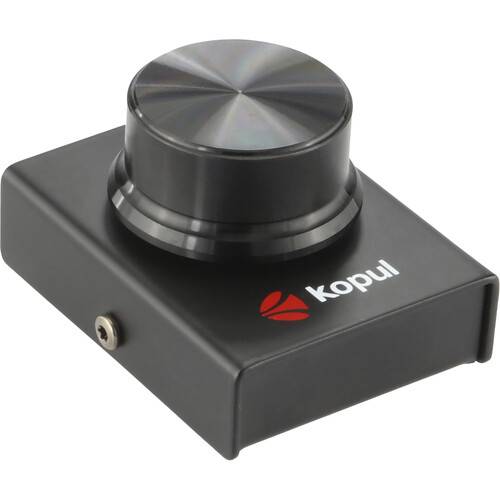
The MC-USB Compact USB Volume Controller from Kopul is a convenient desktop volume knob that controls the audio output of a computer, laptop, or mobile device. Designed for plug-and-play operation, it attaches to the host device with the included USB-C cable and is ready to go without any setup or extra drivers. Turning the volume adjust knob prompts a temporary audio control window in the upper left corner of the screen. The on-screen display includes a volume bar and playback controls with play, pause, skip forward or back, and mute audio functions for fine tuning audio settings without leaving an active window or app. In addition to casual listening, this plug-and-play controller is a great setup addition for gaming, DJ-ing, watching videos, and listening in on meetings. Its compact design won't clutter up your desktop. It features sturdy and stylish all-metal construction, with nonslip feet to stay in position without slipping around.
Set the MC-USB by your keyboard and control your music just like your favorite media player, but without having the mouse. Press the knob to temporarily mute the audio in case you need to have a conversation or a phone call. Pressing down and turning the knob lets you skip to the next or previous track, without having to stop what you're doing to control audio settings.
The MC-USB was made for people who like to listen to music while they work. It controls playback volume whether you're listening through the internal speakers or headphones. It also provides a full array of playback controls in its own unobtrusive onscreen display. Enjoy total control over your streaming service or audio library without switching screens or apps.
Turning the volume knob puts an unobtrusive display in the upper left corner of your screen. The playback control enables play, pause, and skip forward and back functions by clicking on the controls in the display. Use the onscreen display to control playback without switching away from the screen or app you're working in. The control display disappears after four seconds once the track is selected and the volume is set.
The controller features a subtle light ring around the knob that can illuminate for use in dim lighting. Easily locate the controller, even in the dark.
Additional Details
Loading…
