
Authorized Dealer
The PD3225U DesignVue Designer 31.5" 16:9 HDR 4K IPS Monitor from BenQ has been built to satisfy designers' needs for color performance, with support for 99% of the sRGB and Rec. 709 color gamuts, 98% of the DCI-P3…
Product highlights and buying context
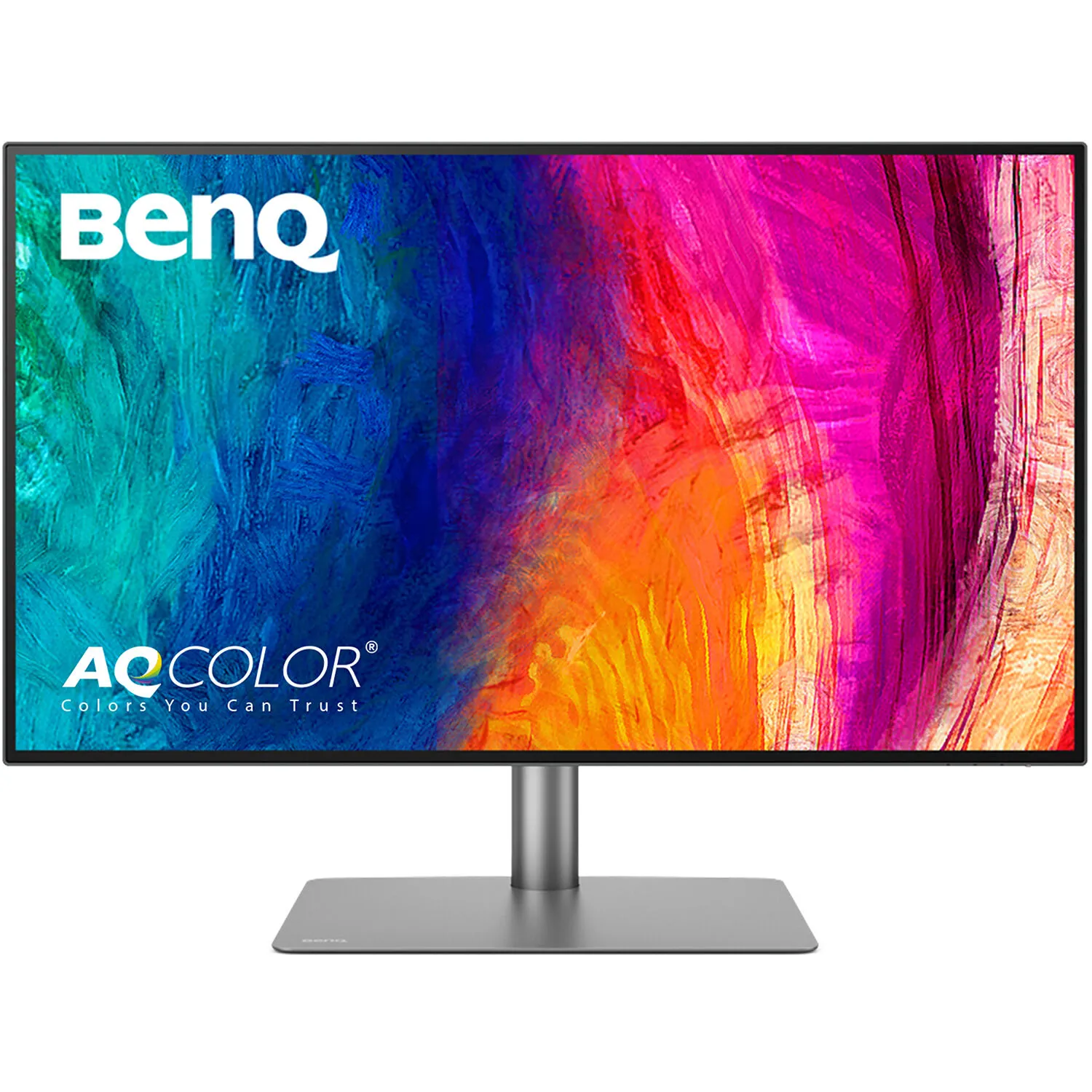
The PD3225U DesignVue Designer 31.5" 16:9 HDR 4K IPS Monitor from BenQ has been built to satisfy designers' needs for color performance, with support for 99% of the sRGB and Rec. 709 color gamuts, 98% of the DCI-P3 color gamut, HDR10, and DisplayHDR 400. Driven by BenQ's AQCOLOR technology and an Ultra HD 4K resolution of 3840 x 2160 with a 60 Hz refresh rate, the PD3225U helps deliver improved accuracy and productivity tailored for specific tastes. It does this using three special modes—CAD/CAM, Animation, and DualView—each of which is tailored for different scenarios, allowing users in different fields to achieve similar results.
The PD3225U features In-Plane Black technology, an anti-glare panel coating, 10-bit support for 1.07 billion colors, a widescreen 16:9 aspect ratio, a static contrast ratio of 2000:1, a brightness of 400 nits, 140 ppi, and a 5 ms (GtG) response time. Using the 178° horizontal and vertical viewing angles, it is possible to watch content from virtually any position. There are also two HDMI 2.0 inputs, one DisplayPort 1.4 input, and two Thunderbolt 3 ports that each support DP Alt mode for daisy-chaining multiple displays and data transfers. One Thunderbolt 3 port supports device charging up to 85W, while the other supports it up to 15W. Additional connectivity is achieved using one USB-C 3.2 Gen 2 port (data transfers only), three USB-A 3.2 Gen 2 ports, and one USB-B 3.2 Gen 1. Audio can be output using the dual integrated 2.5W speakers or the 3.5mm headphone jack.
BenQ's PD3225U also supports HDCP 2.2, Flicker-Free technology, Low Blue Light technology, Picture in Picture (PiP), Picture by Picture (PbP), and more. To further help improve viewing and accessibility, it features a vertical tilt of -5 to 20°, a left/right swivel of ±30°, a clockwise/counterclockwise pivot of 90°, a height adjustment of 5.91", and a 100 x 100mm VESA mount.
Experience the brilliance IPS Black technology with its 2000:1 contrast ratio, which delivers unparalleled deep black and exceptional contrast, elevating your visual experience to new heights.
The PD3225U covers 98% of the DCI-P3, 99% of the sRGB, and 99% of the Rec.709 color spaces and has a Delta E ≤ 2, which ensures superb accuracy and absolute color confidence.
BenQ's Craftsman spirit comes with precise color tuning, corner-to-corner uniformity, and an accuracy guarantee by authoritative third-party organizations.
BenQ DesignVue monitors feature meticulous factory calibration, so designers make full use of total display color accuracy from the get-go.
The PD3225U is fully Calman Verified. Creative professionals demand excellence and BenQ delivers.
The PD3225U also features Pantone and Pantone SkinTone validation, appealing to professionals who need a display that achieves the utmost authenticity when showing real-world colors.
Go digital with BenQ, which works with Pantone on a mobile app. As an existing owner or a new purchaser of BenQ professional monitors, you get one year of free Pantone Connect Premium for digitally mobile color consistency and accuracy.
Deliver corner-to-corner authentic color and consistent luminescence. The display is divided into hundreds of sub-regions and meticulously fine-tuned for precision to assure dependable image fidelity.
Supporting HDR10 and DisplayHDR 400, it delivers enhanced results for designs with higher brightness, color uniformity, and deeper black levels.
Experience simplified workflows with BenQ Display Pilot 2, which provides a customizable interface for organizing functions such as ICCsync, Application Mode, and Software Dimming, making design work more convenient and flexible.
The monitor ships from the factory with default color settings that match Mac and MacBook Pro laptop colors. An exclusive M-Book mode provides active color syncing, creating an additional layer of color precision assurance.
The ICCsync feature in Display Pilot 2 software automatically matches and synchronizes ICC profiles on the monitor when changing color modes and also between your Mac and BenQ monitor. All of this is done instantly.
iKeyboard Control allows you effortlessly adjust display brightness by using Mac keyboard through Display Pilot 2 software. This feature is exclusive to Mac.
Enhance the clarity of dark areas without overexposing bright regions.
Enjoy superior contrast between lines and shapes in technical illustrations.
Showcase designs in two modes side-by-side for improved workflow and enhanced productivity.
Thunderbolt 3 carries images, videos, and other data seamlessly while charging your mobile devices at the same time, all with one cable.
Daisy-chain via Thunderbolt 3 extends your workspace on up to dual 4K monitors thanks to high-speed transfer. Since Apple Silicon M1 and M2 chips do not support multiple monitors natively, Daisy-Chain cannot be applied on M1 and M2-based devices. Daisy-Chain can be applied on Apple Silicon Pro, Max, and Ultra-based devices.
Made simple. Display ColorTalk provides an intuitive interface for creative professionals to effortlessly match the colors of two displays, whether it's a MacBook display with a single monitor or across two monitors.
To help you set up a powerful workstation, the PD3225U comes equipped with USB-C ports for Thunderbolt 3, HDMI ports, DisplayPort, and a USB hub. You can easily setup KVM and connect to Hotkey Puck G2, headphones, and external storage for greater productivity.
With built-in KVM (keyboard, video, mouse) switch functionality, the PD3225U allows users to control two systems from one keyboard and mouse set. Click to switch between systems via Hotkey Puck G2 to boost efficiency.
BenQ Hotkey Puck G2 offers users the flexibility to customize and access their most-used features. Press and switch the dial to access brightness, contrast, and volume adjustment, plus assign shortcuts to feature sets using the three function keys. Additionally, the rotation key allows users to assign custom shortcuts to settings.
Position your monitor for optimal comfort. With a variety of tilt, swivel, and pivot control points, whether you're working on design or presenting your ideas to clients, there's always the right spot and the right angle to do it.
BenQ Eye-Care Technology reduces eye fatigue while ensuring greater user comfort during long periods of use.
TUV Rheinland certifies Flicker-Free and Low Blue Light, resulting in a truly human eye-friendly monitor.
Low blue light technology filters harmful blue light to protect your eyes and increase comfort.
Flicker-free eliminates screen flicker found in traditional monitors for vastly improved comfort during extended usage.
Delivers intuitive color matching and streamlined color management for effortless color consistency across displays.
Display ColorTalk Offers creative professionals an intuitive interface to easily match colors between a MacBook and a monitor or between two monitors with no calibrator needed.
Palette Master Ultimate Offers effortless calibration with no experience needed. Follow visual menus and clear prompts for software calibration that meets international standards.
Additional Details
Loading…
