Authorized Dealer
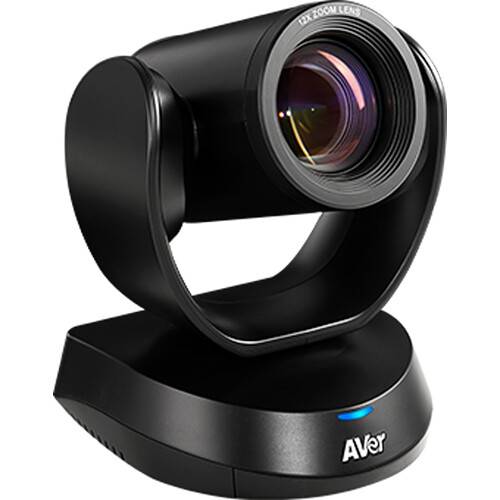
Bring clear 1080p image quality with sharp, accurate color to your education environment or video conferences in medium and large meeting rooms with the compact CAM520 Pro3 Conference Camera from AVer. Easy to use with…
Product highlights and buying context
Bring clear 1080p image quality with sharp, accurate color to your education environment or video conferences in medium and large meeting rooms with the compact CAM520 Pro3 Conference Camera from AVer. Easy to use with plug-and-play operation, it quickly connects to virtually any Windows, Mac, or Chromebook desktop or laptop computer via a single USB cable, so you can get started right away. It can also stream to a variety of internet services using its LAN port and can output via HDMI to a display. It captures up to 1080p60 video using its powerful 8MP low-light HD sensor.
Facilitating simplicity in setup, the CAM520 Pro3 is ideal for Bring Your Own Device (BYOD) or dedicated computer scenarios. Connect a single USB cable to your computer, and you're all set for your call. This not only saves time, but also contributes to maintaining a tidy meeting space and saves installation costs.
The CAM520 Pro3 supports either two optional expansion speakerphones or a full-duplex microphone set. This innovative speakerphone capability positions the CAM520 Pro3 as the optimal choice for mid-to-large conference rooms.
The included IR remote control allows you to adjust pan, tilt, and zoom positions as well as tweak other settings at the press of a button. Up to 10 position presets can be stored and recalled via the remote control. In-depth parameter settings and image adjustments can be made with the downloadable PTZApp 2 application installed on your Windows or Mac computer. You can also utilize a serial controller via RS-232 port, to use VISCA, Pelco-P, Pelco-D protocols for control. It also supports UVC/UAC over USB to control settings and movements via your computer.
The CAM520 Pro3 can be powered by either the included power supply or via PoE+ on a supported network. It can sit on your desk or other flat surface. It can also be permanently mounted on a wall using the included bracket. A standard 1/4"-20 threaded screw hole allows you to mount the camera on a tripod or bracket. There is a Kensington slot to lock the unit and prevent its unauthorized removal from your conference room.
Zoom, Microsoft Teams, Skype for Business, Skype, Google Meet, Intel Unite, RingCentral, V-Cube, LiveOn, CyberLink U Meeting, TrueConf, Adobe Connect, Cisco WebEx, Fuze, GoToMeeting, Vidyo, vMix, WebRTC, Wirecast, XSplit
Additional Details
Loading…
