Authorized Dealer
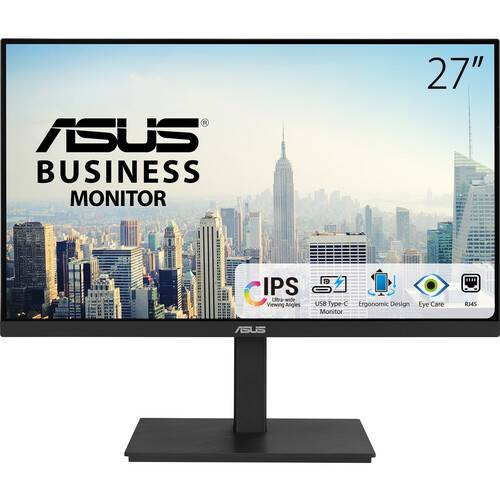
Stay productive and comfortable with the VA27ECPSN 27" Monitor from ASUS. This versatile 1920 x 1080 Full HD resolution business class monitor is designed to help streamline your workflow and minimize desktop clutter…
Product highlights and buying context
Stay productive and comfortable with the VA27ECPSN 27" Monitor from ASUS. This versatile 1920 x 1080 Full HD resolution business class monitor is designed to help streamline your workflow and minimize desktop clutter with a USB-C port that allows you to transfer video, data, and up to 65W of power over a single cable with compatible laptops. There is also a built-in 3-port USB-A 3.1 Gen 1 hub for compatible peripherals such as keyboards, mice, and flash drives. Other features include an integrated Ethernet LAN port for wired networks and a built-in stereo speaker system.
With a 75 Hz refresh rate and built-in adaptive-sync technology, the VA27ECPSN delivers crisp visuals when scrolling through text or watching videos with compatible graphics cards. TÜV Rheinland certified flicker-free and low-blue-light technologies help to reduce eyestrain during extended viewing periods.
The near frameless In-Plane Switching (IPS) panel provides 178° viewing angles, both horizontally and vertically, so you can enjoy its beautiful visuals from almost any direction.
An included USB-C port enables superfast data transfers, DisplayPort connectivity, and up to 65W power delivery to charge devices via just one USB-C cable. The monitor also serves as a USB hub, providing connected devices access to the monitor's USB-A ports.
Along with a USB-C port, the ASUS VA27ECPSN offers HDMI, DisplayPort, and three USB-A downstream ports, in addition to an RJ45 LAN port.
With two integrated speakers, the VA27ECPSN enhances your audiovisual experiences, for limitless entertainment and multimedia enjoyment. Plug your preferred headphones into the 3.5mm jack for listening privacy.
Flexible tilt, swivel, pivot, and height adjustments make it easy to find the most comfortable viewing position. The screen can also be rotated a full 90° into a portrait orientation, which is ideal for working with long documents, writing code, or browsing websites.
The stand's cable management design helps you organize and hide various cables to keep your desk area tidy.
Additional Details
Loading…