
Authorized Dealer
Delve into a more immersive gaming experience with the TUF Gaming 23.6" 180 Hz Curved Monitor from ASUS. The 16:9 1500R curved panel has a display area of 23.6" and resolution of 1920 x 1080. With 1 ms (MPRT) and 4 ms…
Product highlights and buying context
Delve into a more immersive gaming experience with the TUF Gaming 23.6" 180 Hz Curved Monitor from ASUS. The 16:9 1500R curved panel has a display area of 23.6" and resolution of 1920 x 1080. With 1 ms (MPRT) and 4 ms (GtG) response times, a 180 Hz refresh rate, Extreme Low Motion Blur SYNC technology, and Adaptive-Sync, FreeSync, and VRR, smooth gameplay is ensured. Additionally, 8-bit support for 16.7 million colors, a 3000:1 static contrast ratio, 250 nits of brightness, 178/178° viewing angles, and a 90% DCI-P3 color gamut make for a stellar visual experience.
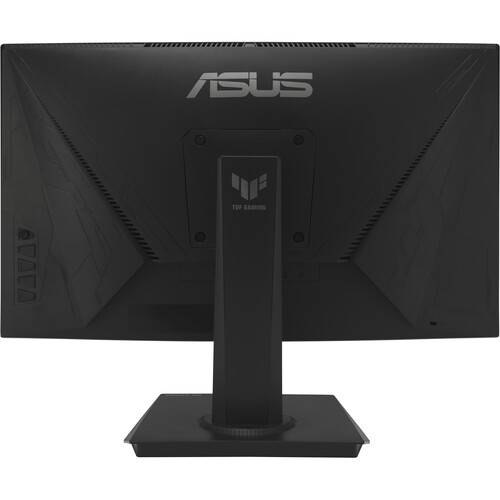
ASUS has designed this monitor to allow for multiple host connections through the DisplayPort 1.2 port, two HDMI 2.0 ports, and a 3.5mm headphone jack. For greater ease of use, this display may be tilted from -5 to 23° and may be mounted to a wall or other flat surface using its 100 x 100mm VESA mount.
The TUF Gaming VG24VQER delivers stunning visuals from all angles with a 1500R curvature that ensures every point is equidistant to your eyes. A 180 Hz refresh rate decimates lag and motion blur to give you the upper hand in first person shooters, racers, real-time strategy, and sports titles, letting you play at the highest visual settings and lets you react instantly to what's on screen, so you'll get that first strike in.
AMD FreeSync technology, supported through the DP and HDMI ports, provides variable refresh rates for low latency, stuttering, and tearing while gaming.
ELMB Sync software enables ELMB to work simultaneously with Adaptive-Sync technology to eliminate ghosting and tearing for extraordinarily sharp, high-frame-rate gaming.
Integrated ASUS Variable Overdrive technology allows the display to dynamically alter its overdrive setting as frame rates fluctuate, ensuring optimal results for any game. You choose how strong you want the overall effect to be, then let the monitor take it from there.
DisplayWidget Center software upgraded the user interface so that users can easily change monitor settings via a mouse ― so there's no need to access the OSD menu.
ASUS Shadow Boost technology clarifies dark areas of the game without overexposing brighter areas, improving overall viewing while also making it easier to spot enemies hidden in dark areas of the map.
The ASUS-exclusive, integrated GamePlus hotkey offers in-game enhancements that help you get more out of your game. This function is co-developed with input from pro gamers, allowing them to practice and improve their gaming skills.
ASUS GameVisual Technology has seven pre-set display modes to optimize visuals for different types of content. This unique feature can be easily accessed through a hotkey or the on-screen display settings menu.
Flicker-Free technology reduces flicker to minimize eyestrain for improved comfort when you're embroiled in long gaming sessions.
ASUS Low Blue Light technology reduces the amount of potentially harmful blue light emitted by the display. Four different filter settings are available to control the amount of blue light reduction.
A multitude of connectivity options, including two HDMI 2.0 ports, plus DisplayPort 1.2 ensures wide compatibility with a variety of input sources.
It provides tilt from -5 to 23° so you can easily find your ideal viewing angle. The display is also VESA compatible for wall mounting.
Additional Details
Loading…
