
Authorized Dealer
Designed primarily for enthusiasts, the ASUS ROG Swift OLED PG27AQDP 26.5" 1440p HDR 480 Hz Gaming Monitor lets you catch every detail while competing lightning fast matches and exploring vast open worlds. The 2560 x…
Product highlights and buying context
Designed primarily for enthusiasts, the ASUS ROG Swift OLED PG27AQDP 26.5" 1440p HDR 480 Hz Gaming Monitor lets you catch every detail while competing lightning fast matches and exploring vast open worlds. The 2560 x 1440 resolution QHD OLED display delivers liquid-smooth visuals with a 480 Hz refresh rate and 0.03 ms response time. Additionally, AMD FreeSync Premium and NVIDIA G-Sync compatibility eliminate screen tearing and stuttering with compatible graphics cards.
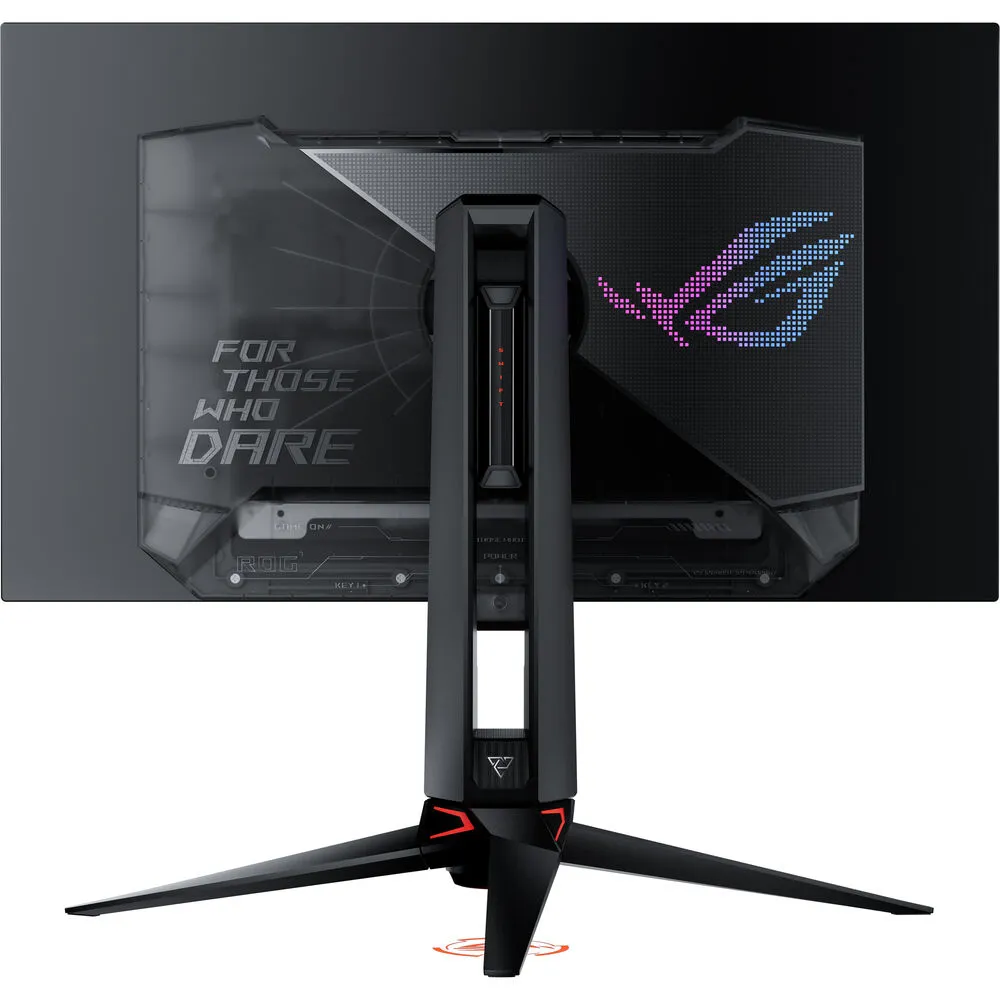
The ROG Swift OLED PG27AQDP also delivers vivid, realistic color with HDR10 support, which enhances visuals with realistically bright highlights and deep shadows. Connect your devices through the high-bandwidth DisplayPort 1.4 input and dual HDMI 2.1 ports. An integrated USB hub lets you connect peripherals such as keyboards, mice, and flash drives through the monitor. Connect your favorite headphones to the 3.5mm jack for listening privacy. Rear-facing lighting and a downward ROG logo projector at the base adds style to your setup. A custom heatsink and translucent back cover quickly dissipate heat to maintain optimal performance and prevent burn-in. This OLED display features a 3-year warranty.
Housed in a slim frame, the bright 26.5" OLED panel is factory calibrated for Delta E<2 accuracy, delivering cinematic visuals with 1.07 billion colors that cover 99% of the DCI-P3 gamut. VESA DisplayHDR True Black 400 certified high-dynamic range with a 1.5 million:1 contrast ratio and 1200 nit peak brightness enhances photos, videos, and games with lifelike color.
The OLED panel takes advantage of Micro Lens Array+ technology to provide 20% wider viewing angles and 20% higher brightness in full white (100% APL) windows in SDR mode compared to the previous generation. A Clear Pixel Edge algorithm reduces red and green fringing from text for an improved reading experience.
ASUS Extreme Low Motion Blur (ELMB) technology reduces ghosting and motion blur.
The Uniform Brightness setting from the OSD menu decreases peak brightness to keep levels consistent for better viewing, even when resizing bright white windows. This setting also helps to reduce eyestrain during marathon gaming sessions.
Recalibrate the screen when the monitor has been active for several hours. This process takes just a few minutes and activates automatically when the monitor is turned off.
Automatically dims the screen after two minutes of inactivity.
Pixel locations are slightly shifted periodically to help prevent burn-in. Users can choose between several movement levels.
Automatically detects static onscreen logos and reduces their brightness to correct for potential picture-quality issues.
Dynamically detects the taskbar and reduces the brightness around it to avoid burn-in.
Automatically identifies and adjusts the brightest areas of the display to reduce the risk of burn-in.
Dims the entire screen, except for a selected pinned window, which maintains its current brightness setting.
Reduce screen tearing with AMD's FreeSync Premium Technology and NVIDIA G-Sync compatibility. Both enable the monitor to dynamically adjust its refresh rate to the frame rate being output by the graphics card, thereby greatly reducing screen tearing, stuttering, and other artifacts.
If you prefer playing on a smaller monitor, the ASUS ROG Swift OLED allows you to change to a square 4:3 aspect ratio with a 1280 x 960 or 1024 x 768 resolution. You can also create a 24.5", 2368 x 1332 resolution simulated screen for high performance.
An integrated hotkey allows you to access features such as an on-screen stopwatch, crosshair, timer, fps counter, sniper mode, and a display alignment tool for multi-monitor configurations.
Optimize your visual with integrated presets that include Racing, MOBA, Cinema, RTS/RPG, FPS, sRGB, and Scenery modes.
A tripod socket allows you to mount a separately purchased webcam onto the rear of the display.
Adjust the display's height, tilt, and swivel to match your comfort. Rotating the screen in either direction allows you to view content in portrait mode. With 178° horizontal and vertical viewing angles, you can see the clearly from almost any position. The 100 x 100mm VESA pattern allows you to mount the display onto a swivel arm or multi-monitor stand.
Additional Details
Loading…
