Authorized Dealer
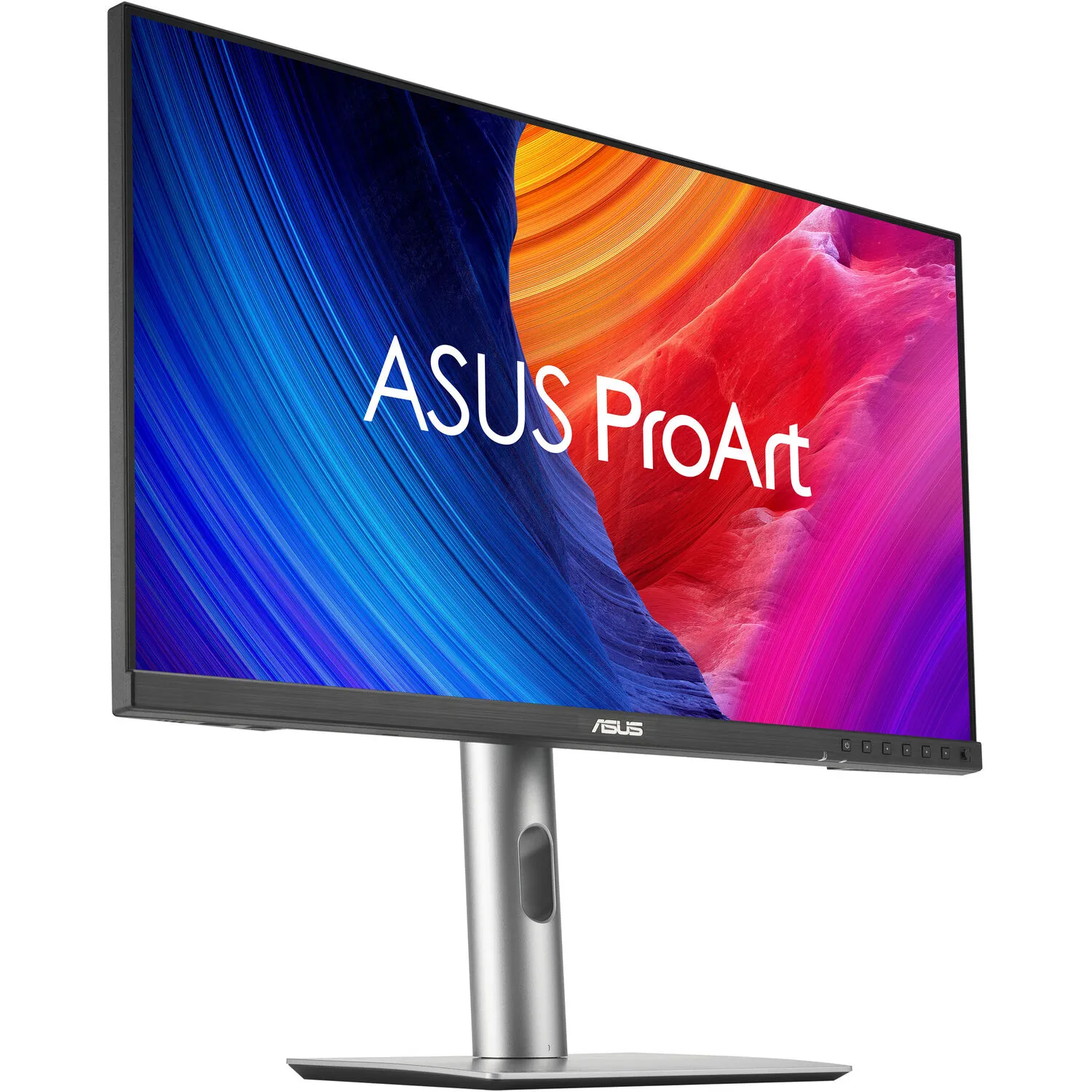
Designed primarily for professional video editors, colorists, photographers, and artists, the ASUS ProArt PA278CGRV 27" 1440p HDR 144 Hz Monitor delivers sharp QHD 2560 x 1440 resolution visuals with rich color and…
Product highlights and buying context
Designed primarily for professional video editors, colorists, photographers, and artists, the ASUS ProArt PA278CGRV 27" 1440p HDR 144 Hz Monitor delivers sharp QHD 2560 x 1440 resolution visuals with rich color and high-dynamic range. Expansive connectivity, a KVM, and other features help to streamline your workflow.
A built-in Light Sync sensor lets you jump straight into your creative projects with bright, reliable color performance. In addition to the HDMI 2.1 port and one DisplayPort 1.4 input, the USB-C port can transfer video, data, and up to 96W of power over a single cable with compatible laptops. A second USB-C port links devices with the built-in USB 3.2 Gen 1 hub, which includes one USB-C and two USB-A downlink ports.
Featuring a Calman verified 27" IPS panel, this monitor is factory calibrated for Delta E <2 accuracy, providing 10-bit, 1.07 billion colors with 97% DCI-P3 and 100% sRGB coverage.
Enable the M Model P3 setting to match the monitor's color settings with your MacBook's. You can adjust the brightness settings using the MacBook's control buttons.
VESA DisplayHDR 400 certified HDR10 with a 3000:1 max contrast ratio and 400 nits peak brightness enhances visuals with realistically bright highlights and deep shadows.
A backlight sensor eliminates warmup time and brightens the screen on startup by detecting the backlight brightness color temperature to compensate the deviation. Additionally, the front-facing ambient light sensor synchronizes the display's color gamut to match with your environment. Use the ASUS DisplayWidget Center app to fine-tune your screen's settings using a mouse instead of the monitor buttons.
Supporting a 144 Hz variable refresh rate (VRR) and AMD FreeSync support, the ProArt Display is ideal for game developers who need to conduct quality checks.
With an integrated KVM switch, you can control up to two devices simultaneously in Picture-by-Picture (PbP) or Picture-in-Picture (PiP) modes using a single mouse and keyboard connected through the monitor. Plug your favorite headphones into the 3.5mm jack for listening privacy.
Use the DisplayPort out connector to daisy chain an additional display.
Rotate the screen in either direction to view content in portrait mode. Then adjust the height, tilt, and swivel to your preferences. The 100 x 100mm VESA mounting pattern allows you to attach the display to a swivel arm or multi-monitor stand.
ASUS Power Sync allows compatible HDMI-connected devices such as NUC computers to power on/off simultaneously with the monitor so that they work like an all-in-one system.
Additional Details
Loading…