Authorized Dealer
Enhance your professional photography, video editing, and game development workflow with the ASUS ProArt Display OLED PA279CDV 26.5" 4K HDR 120 Hz Monitor. Designed to deliver exceptional 10-bit color, this Calman-ready…
Product highlights and buying context
Enhance your professional photography, video editing, and game development workflow with the ASUS ProArt Display OLED PA279CDV 26.5" 4K HDR 120 Hz Monitor. Designed to deliver exceptional 10-bit color, this Calman-ready 3840 x 2160 resolution 4K UHD monitor's QD-OLED panel is factory calibrated for ΔE <1.5 accuracy, covering 99% of the DCI-P3 gamut with VESA DisplayHDR 400 True Black certified high-dynamic range.
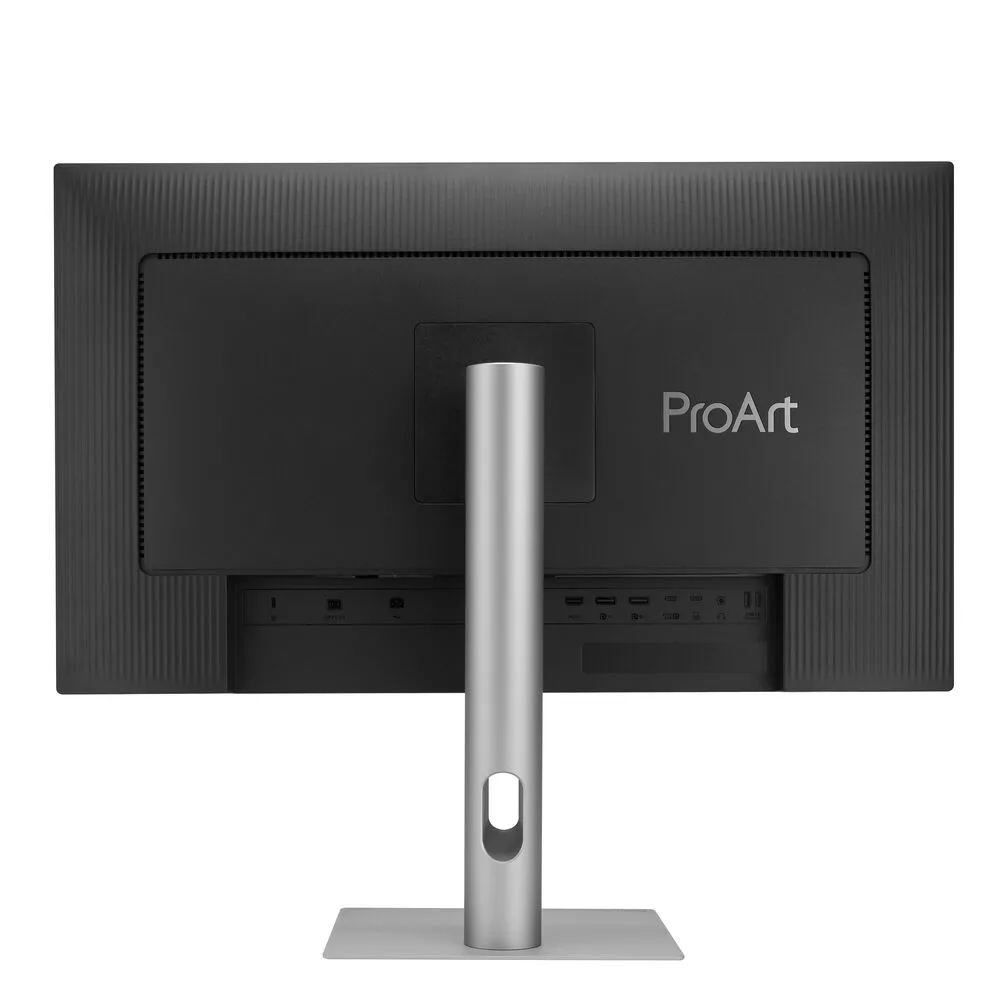
Connecting your compatible laptop through the USB-C port allows you to transfer video, data, and up to 96W of power over a single cable. An HDMI 2.1 port is also available alongside a DisplayPort 1.4 input. Comprised of a USB-C and three USB-A 3.2 Gen 1 ports, the built-in hub allows you to quickly connect 5 Gb/s peripherals through the monitor and an integrated KVM lets you control multiple devices using a single mouse and keyboard. The 3-year warranty includes burn-in coverage.
The 26.5" QD-OLED panel delivers rich color with self-illuminating pixels that provide up to 1.07 billion colors, covering 99% of the DCI-P3 and 100% sRGB gamut.
A 120 Hz refresh rate, a 0.1 ms GtG response time, and Variable Refresh Rate (VRR) adaptive-sync support minimizes motion blur as you quickly scroll through content and watch videos.
The scratch resistant layer provides added peace of mind by helping to ensure that the display is protected from accidental abrasion during cleaning and handling.
M Model P3 color settings sync the display's colors with your macOS devices. You can use your connected MacBook keyboard controls to adjust the monitor's brightness through the ASUS DisplayWidget app.
The display automatically adjusts the brightness and color temperature to match your environment's lighting conditions.
The ASUS DisplayWidget desktop application lets you quickly adjust the display's color temperature, brightness, and other settings with your mouse.
Enhance your multitasking by viewing content from up to two devices simultaneously in picture-by-picture or picture-in-picture mode.
Daisy chain a second ProArt Display OLED monitor using the DisplayPort output for enhanced multitasking. The ColorSync feature in the ASUS DisplayWidget Center software makes it easy to apply settings such as color mode and brightness to multiple displays at once.
The Uniform Brightness setting from the OSD menu decreases peak brightness to keep levels consistent for better viewing, even when resizing bright white windows. This setting also helps to reduce eyestrain during extended viewing.
The built-in 2W stereo speaker system allows you to listen to music and videos without cluttering your desk. Plug your favorite headphones into the 3.5mm jack for privacy.
Use the included ergonomic stand to rotate the display 90° in either direction to view documents in portrait mode. You can also adjust the height, tilt, and swivel to match your comfort. Using the 100 x 100mm VESA mount pattern allows you to attach the display to a wall, swivel arm, or multi-monitor stand. The 178° viewing angles allow you to see the screen clearly from almost any position.
An ultra-thin stand provides a sleek, minimalist look with a compact footprint. Integrated cable management helps to reduce clutter.
Pixel shift, screen saver, ISP, and off sensing help to prevent static images from burning onto the screen. There are two levels of adjustment to choose from.
The ProArt Display OLED dynamically detects and identifies the task bar, logos, and video edges, then reduces their brightness to minimize burn-in risk. There are three adjustable levels to choose from.
The built-in sensor gradually decreases the brightness to a black panel when no user is detected, then restores the screen when you return. The detection distance can be customized with three settings.
Additional Details
Loading…