
Authorized Dealer
Featured: Double your screens with the ASUS 14" Zenbook Duo UX8406CA Multi-Touch Laptop. Featuring not one but two 2880 x 1800 OLED touchscreens and a detachable keyboard with a touchpad, the Zenbook Duo provides a wide…
Product highlights and buying context
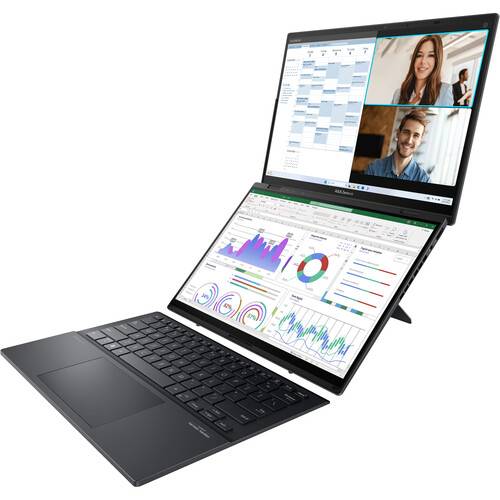
Double your screens with the ASUS 14" Zenbook Duo UX8406CA Multi-Touch Laptop. Featuring not one but two 2880 x 1800 OLED touchscreens and a detachable keyboard with a touchpad, the Zenbook Duo provides a wide variety of modes you can use. From laptop to dual-screen to desktop, the Zenbook Duo provides the screens you need to stay productive and enjoy your content. The Zenbook Duo delivers powerful performance and AI-ready features on Windows 11, thanks to the ultra-fast Intel Core Ultra 9 285H processor with Intel AI Boost NPU paired with Intel Arc graphics. Add 32GB of LPDDR5x RAM and a 1TB SSD, and the Zenbook Duo provides the performance you need while on the go.
Each of the two Pantone validated 14" ASUS Lumina OLED 3K (2880 x 1800) touchscreens deliver rich, color accurate visuals with 100% DCI-P3 gamut coverage. Dolby Vision high-dynamic range provides realistically bright highlights and deep shadows with a 1 million:1 dynamic contrast ratio and 500 nits peak brightness, making it ideal for creating content and watching videos.
An ambient light sensor automatically adjusts the brightness and color temperature to match your environment. The 120 Hz refresh rate and 0.2 response time reduce motion blur from fast scrolling and videos. The screens may individually display content or have documents extended across them.
Tap with six fingers to call up the virtual keyboard on the lower screen. Not only does this make it easier to quickly switch between laptop and tablet modes, but it also enables intuitive smartphone-like controls. Swiping down with six fingers provides access to different utilities, including handwriting tools and a numeric keypad. Tapping with three fingers brings up a virtual touchpad. Swiping outward with five fingers dismisses the keyboard and expands your content across both screens. The App Switcher allows you to quickly launch and organize your applications across the screens.
Microsoft simplified the design and user experience with Windows 11. It has a modern, clean design with a new Start Menu position. Snap Layouts, Groups, and Desktops allow you to multitask with ease. Microsoft has also integrated some of their apps, such as Microsoft Teams. The redesigned Microsoft Store makes it easier to look for supported apps.
Additional Details
Loading…
