Authorized Dealer
Acer Announces ProDesigner Displays Exclusively at Fotohaus Klinger Read More Bring your creations to life with the ProDesigner PE320QXT 31.5" 6K Touchscreen Monitor from Acer. This 31.5" 16:9 UHD 6K (6016 x 3384)…
Product highlights and buying context
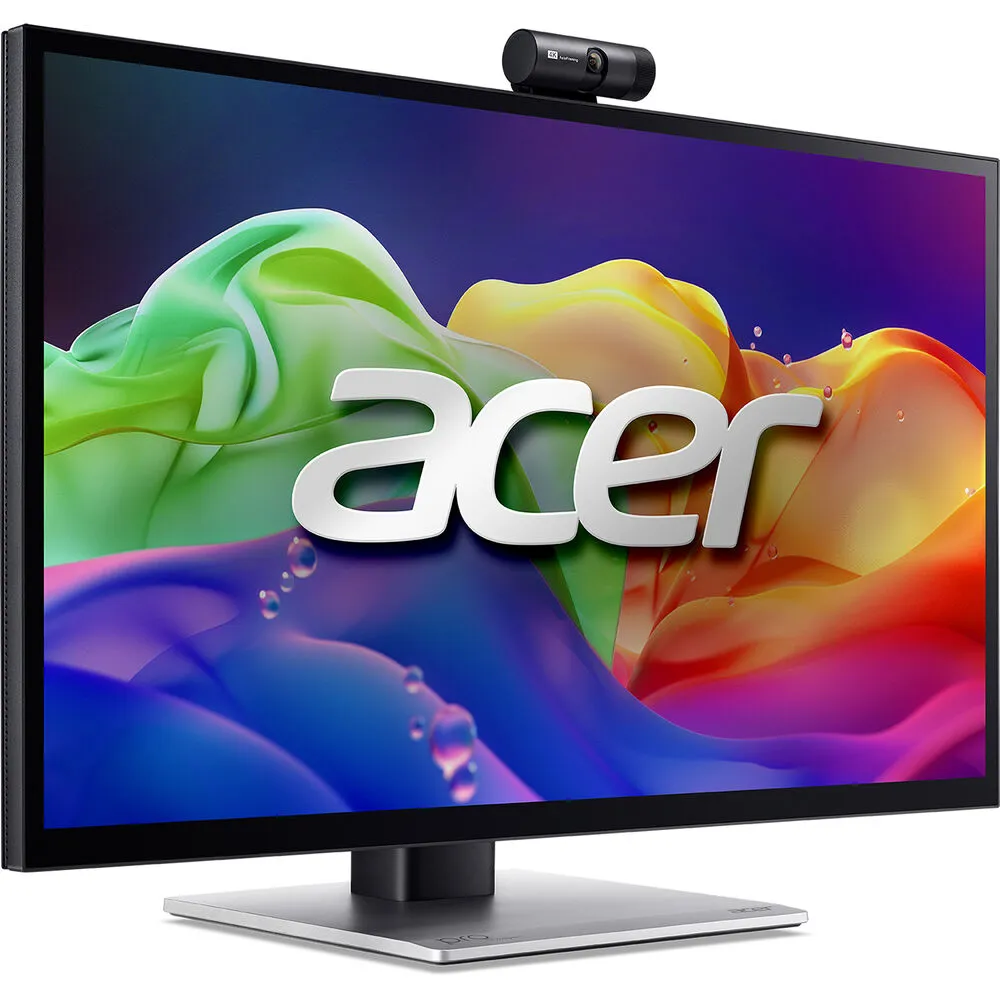
Bring your creations to life with the ProDesigner PE320QXT 31.5" 6K Touchscreen Monitor from Acer. This 31.5" 16:9 UHD 6K (6016 x 3384) resolution Quantom-Dot IPS panel is designed for creators, designers, and professionals who need high color accuracy, a wide color gamut, and the power of multi-touch interactivity with stylus support. The Calman Verified QD-IPS display features HDR600 for stunning contrast and Delta E<1 color accuracy right out of the box. Other features include support for 1.07 billion colors, 4 ms GtG response time, 600 nits of brightness, and a 100 million:1 dynamic contrast ratio. Connect to a computer using the DisplayPort input, the two HDMI inputs, or the USB-C DP Alt Mode port. A USB-B upstream port and two USB-A 3.2 Gen 1 ports are available for peripheral connectivity. Listen to music or monitor audio using the 3.5mm TRS audio port or through the dual 5W integrated speakers. Mount this monitor to a compatible 100mm x 100mm VESA mount or adjust the ergonomic stand with 178/178° viewing angles.
This monitor is Calman verified to bring exceptional color accuracy to professionals who require precise visuals. With Delta E<1, Adobe RGB 99%, and DCI-P3 99% color gamut, creators are given the full spectrum of vibrant colors to work with, ensuring your work looks like you envisioned.
The touchscreen features MPP 2.0 tilt-enabled stylus support, letting you sketch, draw, and design naturally with precision, depth, and creative freedom. It also supports 10-point touch for intuitive control.
The 8MP webcam makes sure that your virtual meetings or livestreams provide ultra-clear video quality. An anti-noise microphone ensures your voice is heard loud and clear even with distracting background noise.
Use the Creator Hub software to adjust your color space to fit the project you're working on, use a color calibrator, and set up a multi-monitor setup with different split screen options.
Additional Details
Loading…